Plane & line attitude
Strike, azimuth, dip and dip direction for planes; plunge and trend for lines. A bubble level turns green when the device is level.
Field geology compass for iOS & Android
GeoCompass reads strike, dip, plunge and trend from your phone's sensors, then saves each measurement with coordinates, altitude, address and weather in one tap. Add photos, videos and notes on the spot, and export it all back at the desk.


Free to download · iPhone, iPad and Android · 10 languages
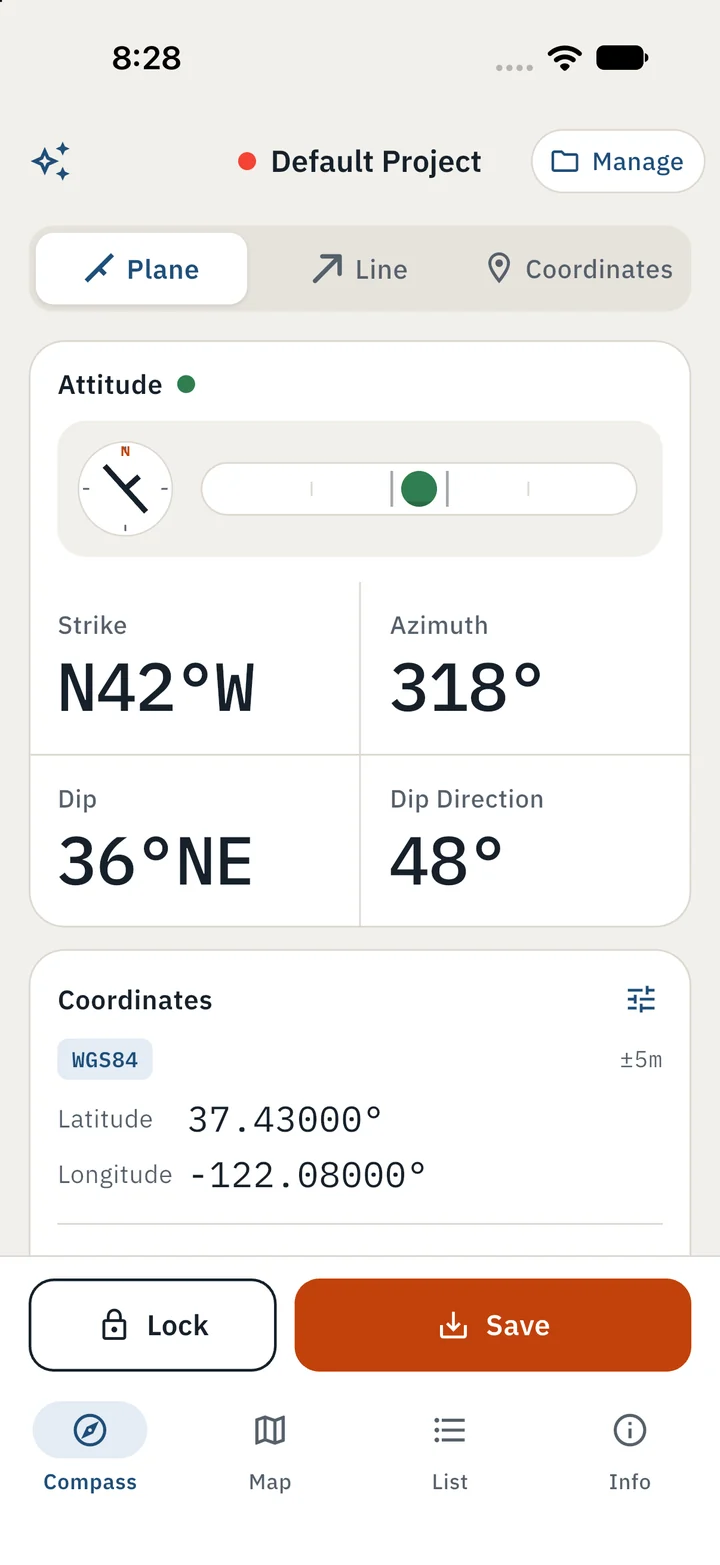
Plane
Strike · Azimuth · Dip · Dip direction
Line
Plunge · Trend
Coordinates
WGS84 · UTM · MGRS
How it works
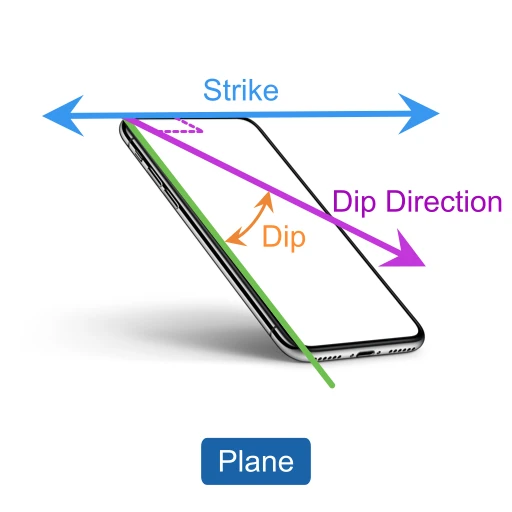
Lay the phone flat on the bedding, joint or fault surface to read strike, dip and dip direction.
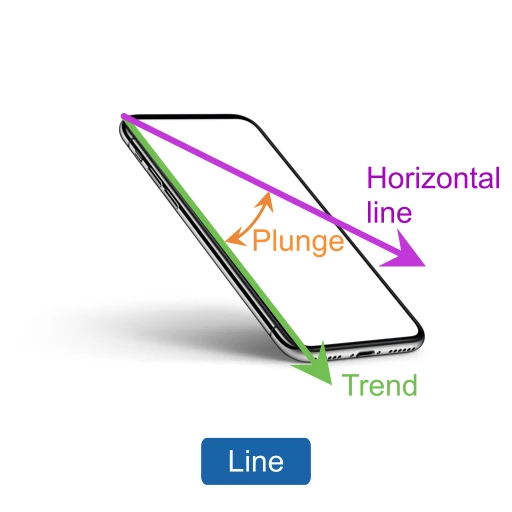
Align the phone's long edge with the lineation or fold axis to read plunge and trend.
Wave the phone in a figure eight to calibrate the magnetometer before you start.
Choose Plane, Line or Coordinates, then place the device as shown above.
Lock freezes the reading so you can check it. Save stores it in the current project.
Right after saving, take photos or videos and add notes, all attached to that measurement.
Features
Every value you need sits on one screen, in large tabular numbers you can read in bright sun.
Strike, azimuth, dip and dip direction for planes; plunge and trend for lines. A bubble level turns green when the device is level.
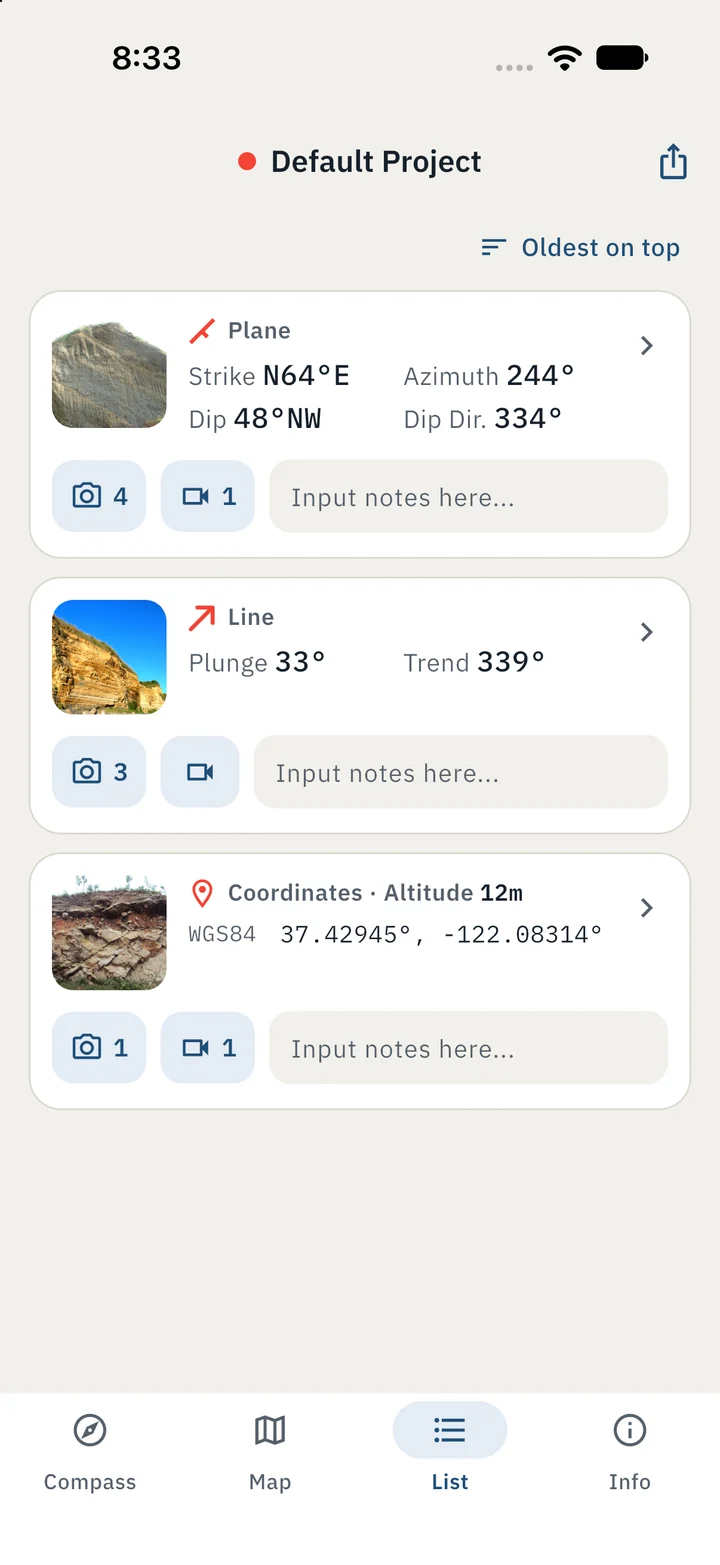
Each save keeps the attitude with coordinates, altitude, horizontal accuracy, address, survey time and current weather.
Show WGS84, UTM and MGRS side by side, or only the ones your survey uses.
Stamp date, time, GPS and weather onto each photo in the colors you pick.
Create a project for each survey area or field trip, and keep its measurements apart from the rest.
Export a project's measurements along with its photos and videos, ready for GIS or a stereonet.
Screens
Plane
Get strike, azimuth, dip and dip direction for plane structures.
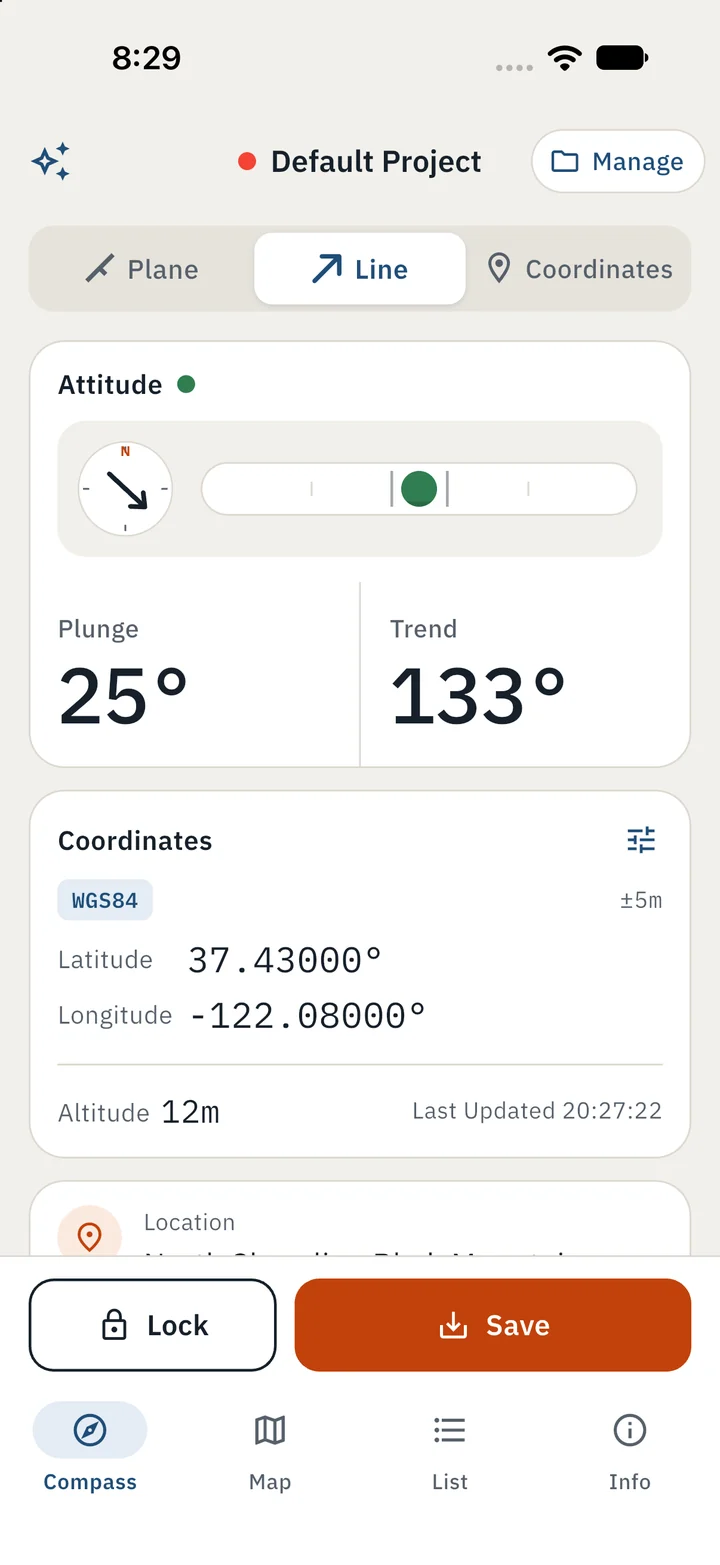
Line
Get plunge and trend for line structures.
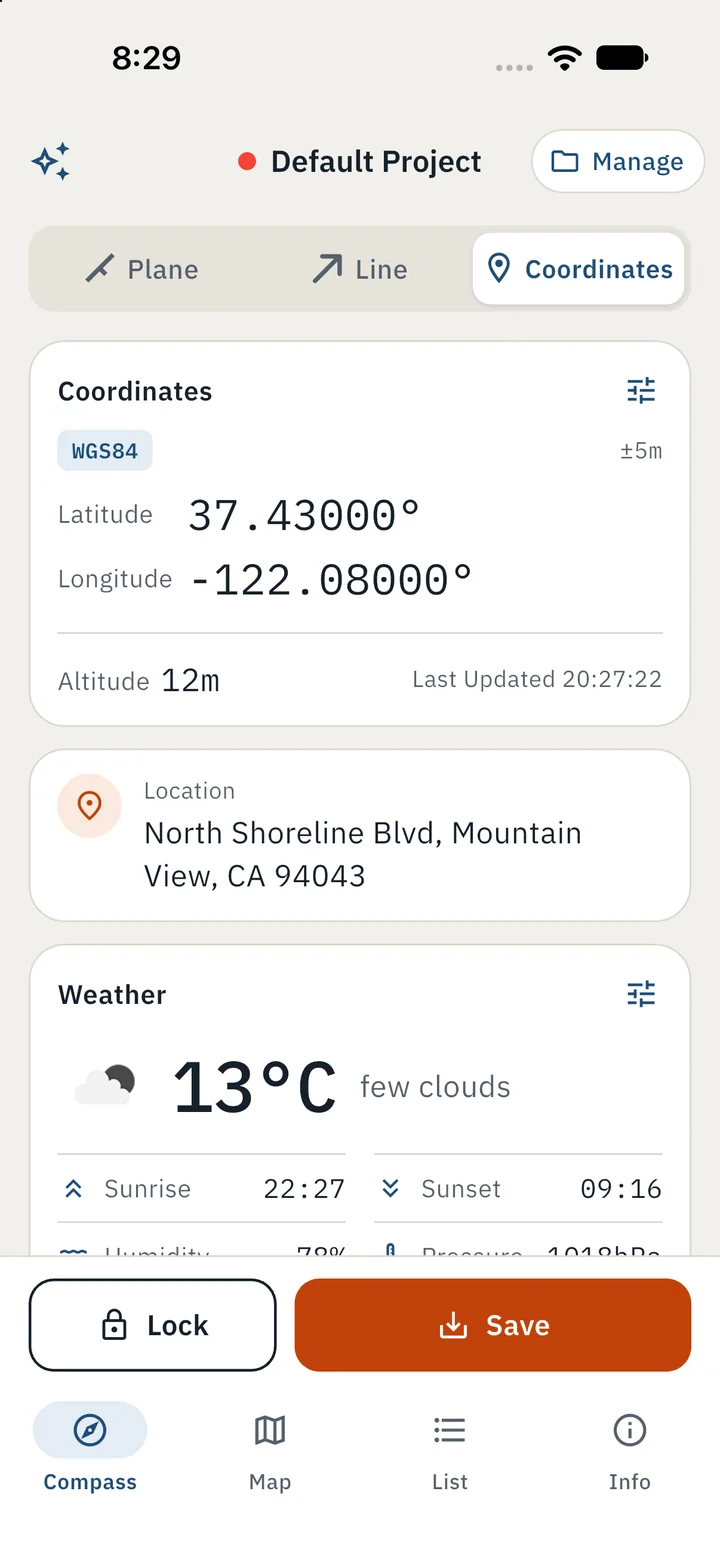
Coordinates Only
Support WGS84, UTM & MGRS coordinate systems.
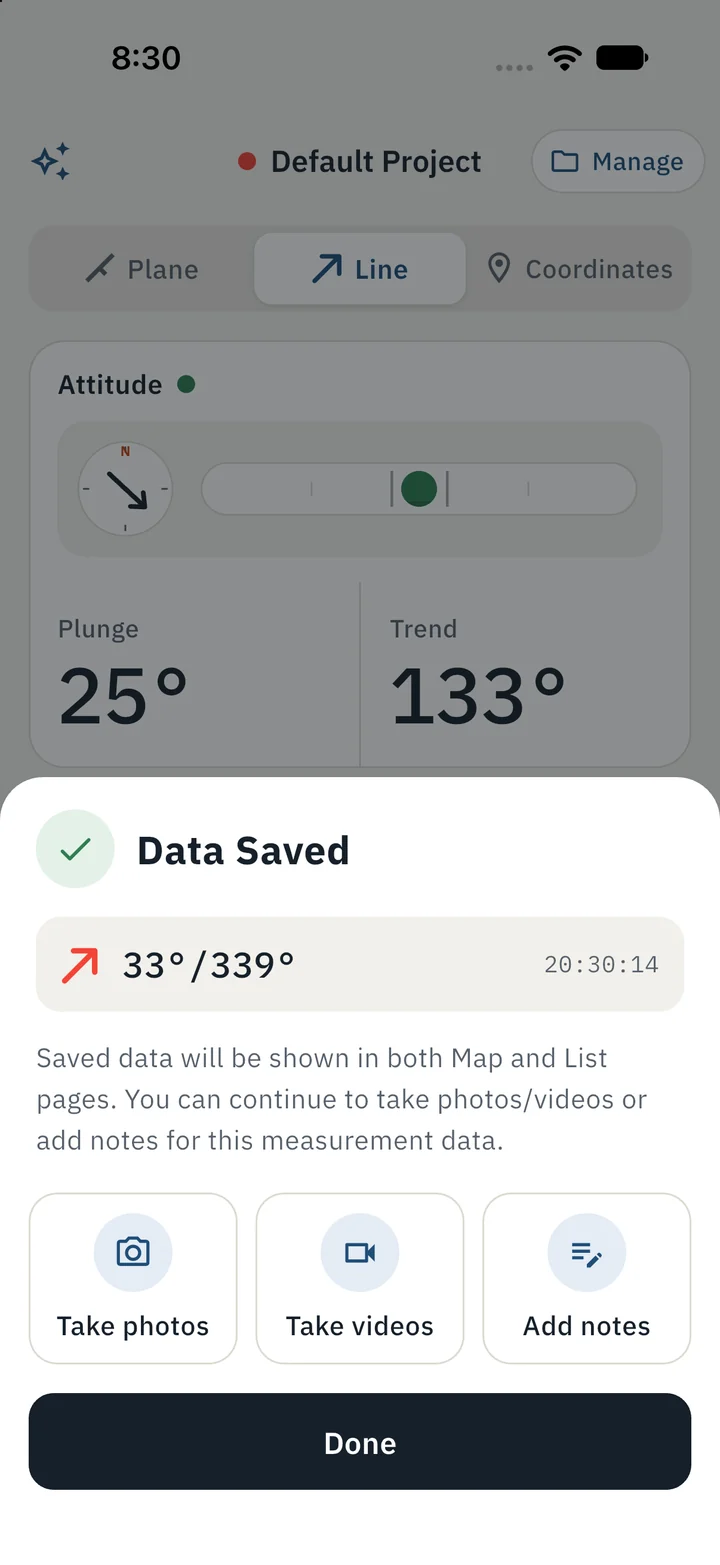
Saved
Attach photos, videos or notes right away.
Field record
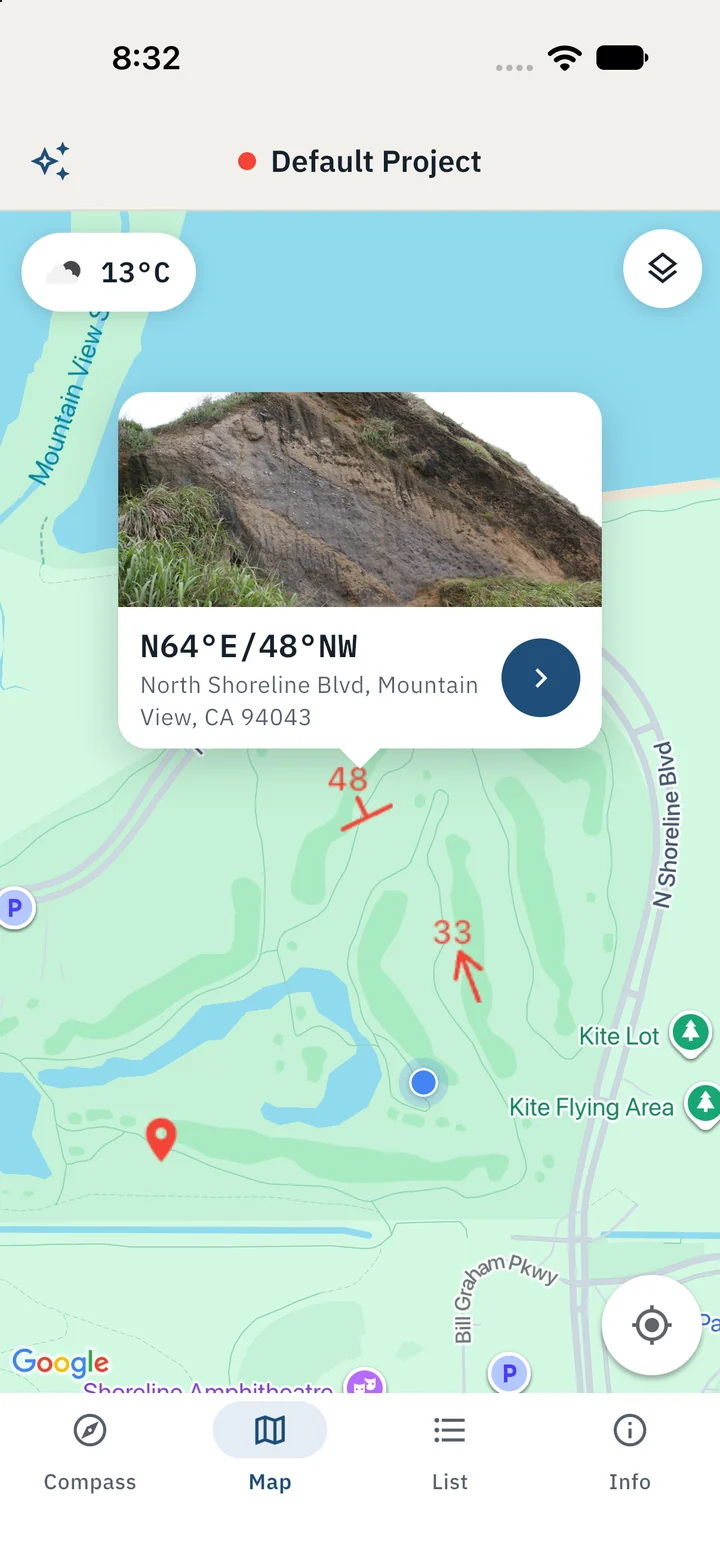
See the day's work on the map, drawn as different symbols. The list keeps each measurement with its place, time, photos, videos and notes.
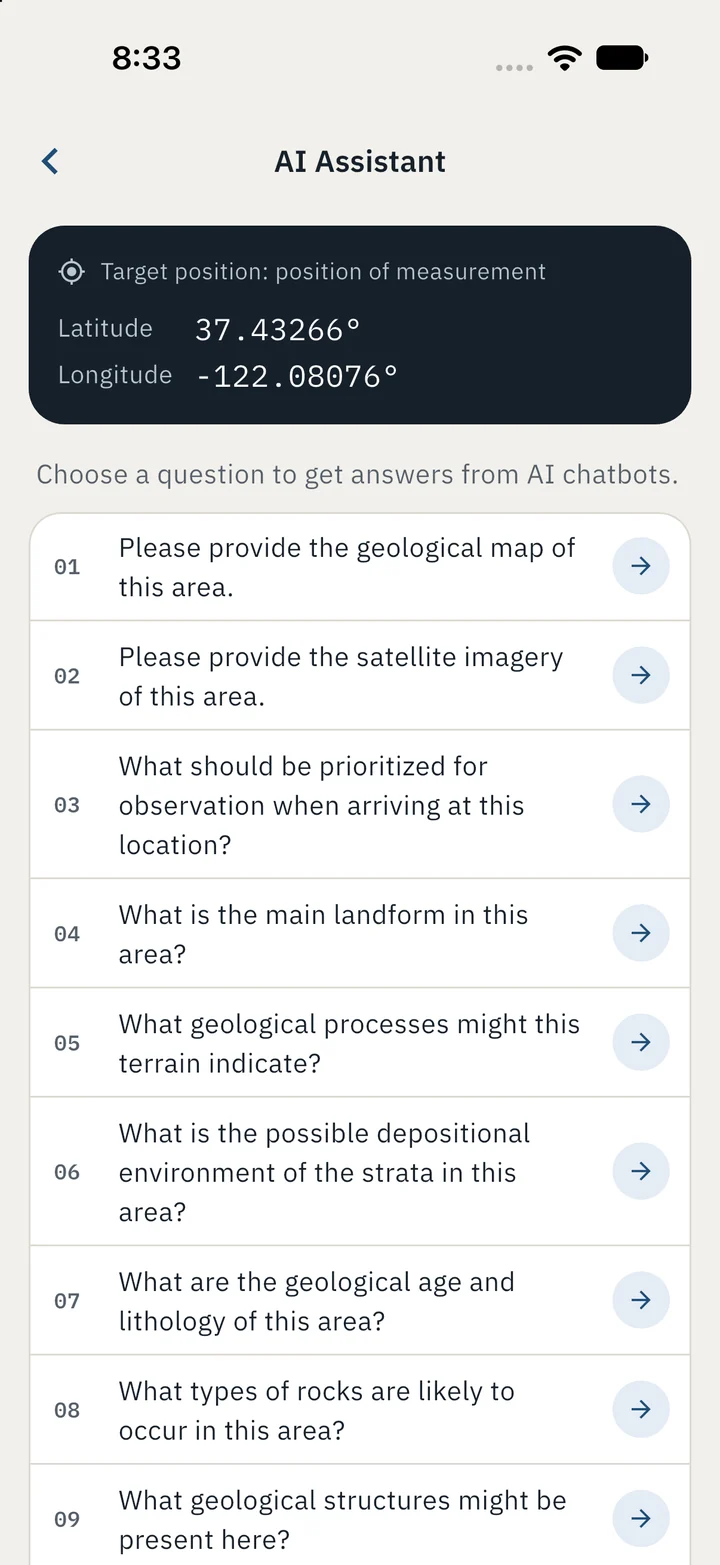
AI assistant
Pick a preset question and GeoCompass writes the prompt with your position filled in, then opens it in ChatGPT, Claude or Perplexity. Or copy it into any AI tool you like.
10 languages
English · 繁體中文 · 简体中文 · 日本語 · Deutsch · Español · Français · Italiano · Português · Русский
Free download on iPhone, iPad and Android.